

Covenant Smart Contracts: Streaming Payments
22 de octubre de 2024
Covenant Smart Contracts: Streaming Payments
In this article, we explore Covenants in NexScript and demonstrate how to build a streaming payments contract. Stateful covenant contracts allow for the creation of more complex smart contract architectures on UTXO-based blockchains like Nexa, ensuring contracts can persist over time by enforcing conditions on transactions downstream of the contract UTXO. Stateful covenant architecture is what allows Nexa to compete directly with EVM-based chains and opens up practically endless possibilities.
In this example, we’ll build a contract that allows a recipient to withdraw 100 Nexa every 5 blocks (roughly 10 minutes). Additionally, the payer has the ability to withdraw funds from the contract at any time.
Overview of ‘Covenants’
Covenants are critical for creating continuous smart contracts, especially on UTXO-based systems, where contracts typically operate as one-time agreements. With covenants, we can recreate and enforce conditions on future transactions, much like how Ethereum contracts persist and allow recurring interactions. The term ‘Covenant’ is taken from a type of clause which is often added to property purchase contracts, which allows the seller of the property to establish requirements on future sales of that property even though they are no longer the owner. This is very similar to how covenant contracts on Nexa allow us to enforce rules on UTXOs beyond the one in which the contract is initially created.
Overview of ‘Statefulness’
Traditionally, UTXO-based cryptocurrency transactions are considered ‘stateless’ at the transaction level. What that means is that the transactions contain all the information required to process that transaction, and are therefore more efficient to process and can be processed in parallel. Addresses or contracts, also don’t typically have data storage beyond their balance information, which means it would normally not be possible to make complex contracts.
Nexa maintains it’s ability to process transactions efficiently and in parallel, but it can also implement a kind of statefulness by storing data within an address, either hidden behind a hash function or public visible directly in the address. It can then use this data within smart-contracts and make it mutable (updatable) by enforcing that the data storage must be persisted across smart-contract interactions via covenant architecture.
Rosco Calis has written an excellent article on this concept, so if you want to learn more about it I highly recommend it.
Using the two properties of Covenants and Statefulness we can enable EVM-like smart-contract complexity and build incredibly useful on-chain applications, with the huge advantage that they will remain highly performant at the network level compared to EVMs.
Ok, so let’s dive into building a simple streaming payments contracts which shows of this stateful covenant architecture.
1. Simple Locked Withdrawal
In this first step, we implement a basic contract that allows a single recipient to withdraw 10 NEXA. The recipient’s public key is hardcoded into the contract to ensure that only this specific address can withdraw the funds. This prevents unauthorized parties from accessing the funds and simplifies the contract's design by ensuring that the recipient remains constant throughout the contract’s lifecycle.
Additionally, we fix the amount to 10 NEXA in to guarantee that the exact value is transferred every time the contract is invoked as this is the amount we want the recipient to receive at each interaction.
Here's the corresponding code for this section:
pragma nexscript >= 1.0.0;

contract StreamingPayments(pubkey recipient, int withdrawalAmount) {

// The withdraw() function is the function the recipient uses to withdraw from the contract
    function withdraw(sig recipientSig) {

		    // Lock the this function of the contract to only allow the recipient to use it.
        require(checkSig(recipientSig, recipient));

        // Lock the amount that can be withdrawn each time
        require(tx.outputs[0].value == withdrawalAmount);

    }
}
We use checksig() to check the signature uses the recipients public key, and we lock the amount in the first output to the the value defined in parameter withdrawalAmount in the constructor., i.e. 10 NEXA in our example.
2. Adding A Time Lock
Next, we add a time lock to the contract to ensure that the recipient can only withdraw funds once every month. This is achieved by locking the contract based on block height, enforcing the time restriction via the blockchain. Since Nexa has a block time of approximately 2 minutes, 5 blocks represent roughly 10 minutes on average. By adding this time-based restriction directly into the contract, we ensure that the recipient must wait before making another withdrawal.
This lock is hardcoded into the contract, meaning that once it is deployed, the blockchain enforces this requirement automatically. This ensures no withdrawals can be made ahead of time, providing a secure and predictable payment schedule. Technically the withdrawal can be made later, i.e. after 1 hour, but this would be negative for the recipient, so they are incentivised to grab the funds as soon as they become available.
Here’s the updated code with the time lock:
pragma nexscript >= 1.0.0;

contract StreamingPayments(pubkey recipient, int withdrawalAmount, int timeoutBlock) {

// The withdraw() function is the function the recipient uses to withdraw from the contract
    function withdraw(sig recipientSig) {

        // Set the time between withdrawals
        int waitPeriod = 5;

        // Lock the this function of the contract to only allow the recipient to use it.
        require(checkSig(recipientSig, recipient));

        // Lock the amount that can be withdrawn each time
        require(tx.outputs[0].value == withdrawalAmount);

        // Ensure enough blocks have passed since the last withdrawal
        require(tx.time >= timeoutBlock);
    }
}
As you can see, we have added a new parameter in the constructor of timeoutBlock, which is used to determine the block height from which the funds can be moved. ‘Block height’ is the same as block number which we get using tx.time. Before this block height, the funds cannot be accessed.
3. Dealing With Change
In this section, we address how to handle leftover funds (known as "change") during a withdrawal. Since this is a covenant contract, it's crucial to regenerate the contract after each withdrawal to maintain the same rules and time lock for future withdrawals. Any remaining balance, or change, in the contract after the 10 Nexa withdrawal needs to be fed back into the same contract with an updated time lock.
This ensures the contract can persist beyond a single usage, maintaining the same conditions over time (other than the timeoutBlock). Without this mechanism, the contract would only operate for a single transaction, which would defeat the purpose of having a recurring payment system. We use the leftover funds and recreate the contract with the new block height, recreating the contract for the next withdrawals.
Handling Leftover Amounts
Next, we need to handle the leftover amount after the withdrawal. If the leftover amount is less than or equal to the ‘dust limit’, the contract allows all remaining funds to be sent to the recipient.
pragma nexscript >= 1.0.0;

contract StreamingPayments(pubkey recipient, int withdrawalAmount, int timeoutBlock) {

// The withdraw() function is the function the recipient uses to withdraw from the contract
    function withdraw(sig recipientSig) {

        // Set the time between withdrawals
        int waitPeriod = 5;

        // Lock the this function of the contract to only allow the recipient to use it.
        require(checkSig(recipientSig, recipient));

        // Total amount in the inputs
        int totalAmount = tx.inputs[0].value;

        // Calculate the leftover amount after withdrawal
        int leftoverAmount = totalAmount - withdrawalAmount;

        // If leftoverAmount minus the dust limit is less than 0 then all funds can be withdrawn
        if (leftoverAmount - 546 > 0) {
            require(tx.outputs[0].value == withdrawalAmount);
        }

        // Ensure enough blocks have passed since the last withdrawal
        require(tx.time >= timeoutBlock);
    }
}
As stated previously, we do this check so that we don’t create a change UTXO for the contract that is below the dust value of 546 sats, and therefore cannot be spent. It makes much more sense to simply include this in the final transaction to the recipient that to create a wasteful dust UTXO which is unspendable. If the amount is below this, then we just allow the recipient to withdraw as much as they want.
Creating the Change Output
Finally, we need to create a change output that regenerates the contract with an updated time lock for the next withdrawal cycle. This ensures the contract continues functioning as expected, allowing future withdrawals after the specified time.
pragma nexscript >= 1.0.0;

contract StreamingPayments(pubkey recipient, int withdrawalAmount, int timeoutBlock) {

// The withdraw() function is the function the recipient uses to withdraw from the contract
    function withdraw(sig recipientSig) {

        // Set the time between withdrawals
        int waitPeriod = 5;

        // Lock the this function of the contract to only allow the recipient to use it.
        require(checkSig(recipientSig, recipient));

        // Total amount in the inputs
        int totalAmount = tx.inputs[0].value;

        // Calculate the leftover amount after withdrawal
        int leftoverAmount = totalAmount - withdrawalAmount;

        // If leftoverAmount minus the dust limit is less than 0 then all funds can be withdrawn
        if (leftoverAmount - 546 > 0) {

            require(tx.outputs[0].value == withdrawalAmount);

            // Set the new block height for the next withdrawal
            int newBlockHeight = timeoutBlock + waitPeriod;

            // Rebuild contract as an output with a new time lock.
            bytes20 templateHash = hash160(this.activeBytecode);
            bytes constraintHash = hash160(encodeData(recipient) + encodeNumber(withdrawalAmount) + encodeNumber(newBlockHeight));

            // Ensure the second output is the change back into the same contract with a new block height
            require(tx.outputs[1].lockingBytecode == new LockingBytecodeP2ST(templateHash, constraintHash, 0x));

            // Lock the amount in the contract to what is left over.
            require(tx.outputs[1].value == leftoverAmount);
        }

        // Ensure enough blocks have passed since the last withdrawal
        require(tx.time >= timeoutBlock);
    }
}
Ok, so this might look a little intimidating, but let’s go through it step by step. Everything we are adding in this section is within the if() statement.
- As previously we still require that the output amount to be equal to
withdrawalAmount. - We also need to update the value of timeoutBlock in the next iteration of the contract.
- We add 5 to this value (i.e. increment the time by roughly 10 minutes) in
newBlockHeight. - We get the template hash of the contract using
hash160(this.activeBytecode). - We generate the constraint hash for the next iteration of the contract by hashing the
recipientthewithdrawalAmountand thenewBlockHeight. We use theencodeData()andencodeNumber()functions to ensure they are of the correct data type for use within the constructor.encodeData()andencodeNumber()converts values to push operations as needed by the Nexa transaction spec. - We then lock the locking bytecode of the second output (
[1]) totemplateHashandconstraintHash, and an empty visible args value. - Finally we lock the amount in the contract to the amount that is left-over after the amount is withdrawn by the recipient in the first output using
leftoverAmount.
Security Measures
One final thing we need to take care of is a check for security to make sure the contract doesn’t have any way it can be accessed outside our bounds.
pragma nexscript >= 1.0.0;

contract StreamingPayments(pubkey recipient, int withdrawalAmount, int timeoutBlock) {

// The withdraw() function is the function the recipient uses to withdraw from the contract
    function withdraw(sig recipientSig) {

        // Set the time between withdrawals
        int waitPeriod = 5;

        // Lock the contract to be used as the first input only.
        require(this.activeInputIndex == 0);

        // Lock the this function of the contract to only allow the recipient to use it.
        require(checkSig(recipientSig, recipient));

        // Total amount in the inputs
        int totalAmount = tx.inputs[0].value;

        // Calculate the leftover amount after withdrawal
        int leftoverAmount = totalAmount - withdrawalAmount;

        // If leftoverAmount minus the dust limit is less than 0 then all funds can be withdrawn
        if (leftoverAmount - 546 > 0) {

            require(tx.outputs[0].value == withdrawalAmount);

            // Set the new block height for the next withdrawal
            int newBlockHeight = timeoutBlock + waitPeriod;

            // Rebuild contract as an output with a new time lock.
            bytes20 templateHash = hash160(this.activeBytecode);
            bytes constraintHash = hash160(encodeData(recipient) + encodeNumber(withdrawalAmount) + encodeNumber(newBlockHeight));

            // Ensure the second output is the change back into the same contract with a new block height
            require(tx.outputs[1].lockingBytecode == new LockingBytecodeP2ST(templateHash, constraintHash, 0x));

            // Lock the amount in the contract to what is left over.
            require(tx.outputs[1].value == leftoverAmount);
        }

        // Ensure enough blocks have passed since the last withdrawal
        require(tx.time >= timeoutBlock);
    }
}
We must lock the contract such that it MUST be used in the first input of a transaction using require(this.activeInputIndex == 0);. We do this so that the variable totalAmount cannot be malleated to a different amount to extract more from the contract than should be possible. Taking this actions keeps the smart-contract secure.
4. Adding a Function for the Payer to Withdraw Funds
In this section, we'll introduce a second function to the contract that allows the payer (the person funding the contract) to reclaim unused or leftover funds. This is essential for giving the payer control over reclaiming funds in situations where they no longer wish to continue the streaming payments, or if there's excess balance after the withdrawals by the recipient.
This function will allow the payer to unlock and retrieve any remaining balance while maintaining the integrity of the contract for the recipient. Since this function is for the payer, it doesn’t require additional conditions like timelocks or complex output handling.
Here’s the code to add the payer withdrawal functionality:
pragma nexscript >= 1.0.0;

contract StreamingPayments( pubkey recipient, int withdrawalAmount, int timeoutBlock, pubkey payer) {

// The reclaimPayerFunds() is the function the payer uses to get funds back out of the contract
        function reclaimPayerFunds(sig payerSig) {
        // Ensure the reclaim transaction is authorized by checking the payer's signature
        require(checkSig(payerSig, payer));
    }
5. Bringing All Of The Contract Together
Here’s the full NexScript contract that includes the recipient's time-locked withdrawal function, the payer's withdrawal function, and covenant regeneration logic:
pragma nexscript >= 1.0.0;

contract StreamingPayments(
pubkey recipient,
int withdrawalAmount,
int timeoutBlock,
pubkey payer
) {

// The withdraw() function is the function the recipient uses to withdraw from the contract
    function withdraw(sig recipientSig) {

        // Set the time between withdrawals
        int waitPeriod = 5;

        // Lock the contract to be used as the first input only.
        require(this.activeInputIndex == 0);

        // Lock the this function of the contract to only allow the recipient to use it.
        require(checkSig(recipientSig, recipient));

        // Total amount in the inputs
        int totalAmount = tx.inputs[0].value;

        // Calculate the leftover amount after withdrawal
        int leftoverAmount = totalAmount - withdrawalAmount;

        // If leftoverAmount minus the dust limit is less than 0 then all funds can be withdrawn
        if (leftoverAmount - 546 > 0) {

            require(tx.outputs[0].value == withdrawalAmount);

            // Set the new block height for the next withdrawal
            int newBlockHeight = timeoutBlock + waitPeriod;

            // Rebuild contract as an output with a new time lock.
            bytes20 templateHash = hash160(this.activeBytecode);
            bytes constraintHash = hash160(encodeData(recipient) + encodeNumber(withdrawalAmount) + encodeNumber(newBlockHeight) + encodeData(payer));

            // Ensure the second output is the change back into the same contract with a new block height
            require(tx.outputs[1].lockingBytecode == new LockingBytecodeP2ST(templateHash, constraintHash, 0x));

            // Lock the amount in the contract to what is left over.
            require(tx.outputs[1].value == leftoverAmount);
        }

        // Ensure enough blocks have passed since the last withdrawal
        require(tx.time >= timeoutBlock);
    }

// The reclaimPayerFunds() is the function the payer uses to get funds back out of the contract
        function reclaimPayerFunds(sig payerSig) {
        // Ensure the reclaim transaction is authorized by checking the payer's signature
        require(checkSig(payerSig, payer));
    }
}
Important note: notice that we have also added the payer parameter used in the reclaimPayerFunds() function into the constructor arguments, and and this is reflected in the parameters used in the constraintHash variable construction.
6. Testing In The Playground
Check out the view walkthrough of testing our contract within the NexScript playground.
https://drive.google.com/file/d/1f0E4DzZgupWgM1cVN92d89dsWDcE_oMy/view?usp=sharing
7. Deploying the Contract Using the NexScript Library
To deploy the contract, we’ll use the NexScript library, which allows us to compile the contract, pass in the constructor parameters, and broadcast the transaction to the Nexa network.
Here’s how to deploy the StreamingPayments contract:
Compile the Contract
First, you’ll need to compile the contract using the NexScript CLI. The contract file should be written in .nex format. In our case it is StreamingPayments.nex. We need to use the Nexscript CLI to turn this into an ‘Artifact’. You can use nexc -o StreamingPayments.json StreamingPayments.nex to generate the artifact StreamingPayments.json from the nexscript file StreamingPayments.nex .
~/Nexscript-Starter/contracts$ nexc -o StreamingPayments.json StreamingPayments.nex
Imports
Firstly in our index.js file we need import all the libraries we need to get Nexscript up and running.
import { ElectrumNetworkProvider, Contract, SignatureTemplate, TransactionBuilder } from '@nexscript/nexscript';
import artifact from './contracts/StreamingPayments.json' with { type: "json" };
import libnexajs from 'libnexa-js';
Connecting To The Network
Next we need to connect to the Nexa network, or in this case the Nexa testnet, so we can do real blockchain interactions.
// Establish the connection to the Nexa testnet
const provider = new ElectrumNetworkProvider('testnet');
Creating The Recipient Wallet
We also need to create the wallet of the recipient. We are using the libnexajs library to handle the key pairs, but nexcore could also be used for this.
Important Note: We are also hardcoding the private key into this file to keep things simple for you, but of course you should use your own methods for generating secure and hidden private keys. For example, you could use playground.nexscript.org to general some wallets.
d// Generate Recipient wallet.
const recipientPrivKey = "6Jr4G5jLYrmb3VHVam9kKuK7P7p1WiVJ1CqWLiXTfNkG8XBeGuga";
const recipient = new libnexajs.PrivateKey(recipientPrivKey);
const recipientPubkey = recipient.toPublicKey();
const recipientAddress = recipient.toAddress(libnexajs.Networks.testnet);
Creating The Payer Wallet
Next lets create the wallet of the payer.
// Generate Payer wallet.
const payerPrivKey = "6DG3e7UoYPeyE29VDFADBHbHVvJhXoiRZwJrJ2mUUwt3KiMAmdfK";
const payer = new libnexajs.PrivateKey(payerPrivKey);
const payerPubkey = payer.toPublicKey();
const payerAddress = payer.toAddress(libnexajs.Networks.testnet);
Set Constructor Parameters
We now need to set up all the values needed for our instances of the contract and transactions that interact with it. We also need to create a bunch of empty arrays ready for the multiple instances of our covenant contract.
// Define the parameters for the contract and for correctly building the transactions
const waitPeriod = 5n; // 5 blocks
var withdrawalAmount = 1000n; // 1000 sats
const currentBlockheight = BigInt(await provider.getBlockHeight()); // Get current block height & convert to bigint
const startBlockHeight = 656985n; // The fixed starting block height. Enter the current block height here.

//Create empty arrays
var blockHeights = []; //Create an array to store the timeoutBlock values.
var StreamingPayments = []; // Create an array to store the iterations of the contract.
var contractAddress = []; // Create an array to store the addresses of the contract instances.
var contractBalance = []; // Create an array to store the balances of the contract instances.
var contractUtxos = []; // Create an array to store the UTXOs of the contract instances.
Instantiate Three Cycles Of The Contract
We now need to create three versions of our contract, one for each cycle of usage. The only thing that is changing between each is the timeoutBlock parameter which is being incremented by the waitPeriod. StreamingPayments[0] will send an output to StreamingPayments[1] which will send an output to StreamingPayments[2].
We also need to get the addresses, balances and UTXOs for each of these three contract instances.
// Generate all the contracts and their associated info.
for (let i = 0; i < 3; i++) {
    blockHeights[i] = startBlockHeight + (waitPeriod * BigInt(i+1)); // First time a withdrawal can occur.

    // Establish a contract instance.
    StreamingPayments[i] = new Contract(artifact, [
        recipientPubkey.toString(),
        withdrawalAmount,
        blockHeights[i],
        payerPubkey.toString()
    ], { provider });

    // Generate the addresses for the contract cycle.
    contractAddress[i] = StreamingPayments[i].address;

    // Check the contract balances after you have sent some funds to it.
    contractBalance[i] = BigInt(await StreamingPayments[i].getBalance());

    // Get the contract utxos
    contractUtxos[i] = await StreamingPayments[i].getUtxos();
}
Get The Recipient UTXOs
Let’s also get the UTXOs of our recipient. We’ll be using these to pay the transaction fees of the transactions. Notice that we need to use a different method to get these UTXOs than for the contract. This is because we are getting them from an address rather than a contract instance.
// Check the balance of the recipient to make sure there are funds for the transaction fees.
const recipientUtxos = await provider.getUtxos(recipientAddress.toNexaAddress());
Create A Signature Template
We need to create a signature template that is going to be used in the ‘unlocker’ when we try and spend funds from either our recipient’s UTXOs or from our contract instances. This is what will be used to generate a valid signature for the transactions.
// Create signature template ready to sign the transactions.
const sigTemplate = new SignatureTemplate(recipientPrivKey);
Log Key Information
We can now log a bunch of the key info to the console. We can use the Contract 1 address to fund the initial contract and we can use the Recipient address to fund the recipients wallet ready to pay the transaction fees.
// Log all relevant info
console.log("Contract 1 address", contractAddress[0]);
console.log("Contract 2 address", contractAddress[1]);
console.log("Contract 3 address", contractAddress[2]);
console.log("Recipient address", recipientAddress.toNexaAddress());
console.log("Recipient pubkey", recipientPubkey.toString())
console.log("Payer address", payerAddress.toNexaAddress());
console.log("Payer pubkey", payerPubkey.toString());
Discover What Action To Take Next
This section of code looks a bit tricky, but essentially we are just tracking how many blocks have elapsed since we initiated the contract based on the startBlockHeight. We then use this information to check what contract instances are available to spend from (should they have funds in them). We then are checking if they have funds in them, and which contract they are in to tell us what action to take next, whether that be to fund a particular contract cycle or simply wait until the timeoutBlock is reached.
We will use the whichContract variable in the next section to control which contract we spend from.
var currentBalance = 0n; // Define a value to track the balance across the contract addresses
var whichContract = 0; // Define a selector to choose which contract to spend from. Defaults to not send.
const elapsedTime = currentBlockheight-startBlockHeight; // Check what block we are on

// Provide some info on what we need to do next and find our which contract address we should be dealing with.
if(elapsedTime<waitPeriod){
    console.log("No withdrawals can be made yet as the first waitPeriod has not be reached. If you haven't sent any funds to the contract yet, please deposit some funds while you wait.");

}else if(elapsedTime>= 3n*waitPeriod){
        console.log("The first, second, and third withdrawals can now all be made.");

        if(contractBalance[2] !== 0n){
            console.log("Great. You have funds on your third contract address and the timelock has passed and they can be withdrawn. Let's send it!");
            whichContract = 3;
            currentBalance = contractBalance[2];

        }else if(contractBalance[1] !== 0n){
            console.log("Great. You have funds on your second contract address and the timelock has passed and they can be withdrawn. Let's send it!");
            whichContract = 2;
            currentBalance = contractBalance[1];

        }else if(contractBalance[0] !== 0n){
            console.log("Great. You have funds on your first contract address and the timelock has passed and they can be withdrawn. Let's send it!");
            whichContract = 1;
            currentBalance = contractBalance[0];;

        }else if(contractBalance[0] == 0n && contractBalance[1] == 0n && contractBalance[2] == 0n){
            console.log(`Contract 1 address is currently empty. Please deposit funds to the contract.`);

        };
}else if(elapsedTime>= 2n*waitPeriod){
        console.log("The first and second withdrawals can now be made.");

        if(contractBalance[1] !== 0n){
            console.log("Great. You have funds on your second contract address and the timelock has passed and they can be withdrawn. Let's send it!");
            whichContract = 2;
            currentBalance = contractBalance[1];

        }else if(contractBalance[0] !== 0n){
                console.log("Great. You have funds on your first contract address and the timelock has passed and they can be withdrawn. Let's send it!");
            whichContract = 1;
            currentBalance = contractBalance[0];

        }else if(contractBalance[0] == 0n && contractBalance[1] == 0n && contractBalance[2] == 0n){
            console.log(`Contract 1 address is currently empty. Please deposit funds to the contract.`);

        }else if(contractBalance[2] !== 0n){
            console.log(`The third contract cycle is just waiting on the waitPeriod threshold to be reached. Until then you can't access the contract funds.`);

        }
}else if(elapsedTime>=waitPeriod) {
    console.log("The first withdrawal can now be made.");

    if(contractBalance[0] == 0n && contractBalance[1] == 0n){
        console.log("Contract 1 address is currently empty. Please deposit funds to the contract.");

    }else if(contractBalance[1] !== 0n){
        console.log(`The second contract cycle is just waiting on the waitPeriod threshold to be reached. Until then you can't access the contract funds.`);

    }else if(contractBalance[0] !== 0n){
        console.log(`Great. You have funds on your first contract address and the timelock has passed and they can be withdrawn. Let's send it!`);
        whichContract = 1;
        currentBalance = contractBalance[0];

    }
}
Handling Dust
Just like in our actual Nexscript contract, we need to make sure we handle the amounts correctly so that we don’t try and create a dust output. Luckily our clever contract won’t allow this, but we still want to be able to claim these funds. This next bit of code will change the withdrawalAmount to the total amount left in the contract if we are about to hit the dust limit of 546 sats.
// Work out how much is left over to go into the next contract address
var leftoverAmount = currentBalance - withdrawalAmount;

// Update the balance to stop the creation of an unspendable dust utxo.
if(leftoverAmount < 546){
    withdrawalAmount = currentBalance;
}
Choose The Right Contract Cycle
As you should remember, we have 3 cycles and instances of this contract and we need to choose which one to send from. We have already found which one using the whichContract variable and now we need to prepare the data ready to build our transaction. We are using genericContractUtxos to select the right contract UTXO, genericUnlocker to select the unlocker for the right contract, and genericContractAddress to select the right contract address to output to.
We also do a check of whichContract to check if it is 0, as this means no transaction should be built.
//Create some variables to switch out the utxos, unlocker and address between contracts
var genericContractUtxos;
var genericUnlocker;
var genericContractAddress;

// Build the transaction details using the relevant contract
if(whichContract !== 0){
    genericContractUtxos = contractUtxos[whichContract-1][0];
    genericUnlocker = StreamingPayments[whichContract-1].unlock.withdraw(sigTemplate);
    if(whichContract !== 3){
        genericContractAddress = StreamingPayments[whichContract].address;
    }
}
Build A Transaction
Now that we have all the pieces in place we can now build our transaction using the Advanced Transaction Builder in the Nexscript SDK. The Advanced Transaction Builder allows us to build a fully custom transaction with any kind of input or output, so this gives us the control we need for our contract. Because our smart contract is highly constrained to be highly secure, the transaction must be built using highly specific details otherwise it will not be valid and the network will not allow it to be sent.
First we initiate the Transaction Builder under txDetails. Then we start adding inputs using the .addInput() function. We need to include the UTXO we want to use as the first parameter of the function, and the unlocker as the second parameter. Notice that for the contract input we use the genericUnlocker but for the recipient UTXO we are using for the transaction fees we must use the .unlockP2PKT() function as it is a normal P2PKT-type UTXO.
Then our outputs using the .addOutput() function. We include the address they are going to and the amount of funds included in each. Notice that we only add the second output, i.e. the output of funds going back into if there are funds leftover, and this is determined by if we would generate a dust UTXO or not.
Finally we add a locktime to the transaction using .setLocktime(). This is important for our particular contract as we use the tx.time function to set a time lock on the contract. This function uses the locktime value as a reference to determine when it can be unlocked. We must put the current block height as the locktime within .setLocktime() and we do this using the await provider.getBlockHeight() function.
    // Declare the transaction
    const txDetails = await new TransactionBuilder({ provider });

    // Build the transaction template
    txDetails
        .addInput(genericContractUtxos, genericUnlocker)
        .addInput(recipientUtxos[0], sigTemplate.unlockP2PKT())
        .addOutput({ to: recipientAddress.toNexaAddress(), amount: withdrawalAmount })
    if(leftoverAmount > 546){
        txDetails.addOutput({ to: genericContractAddress, amount: leftoverAmount })
    }

    // Finalise the transaction with the correct lock time.
    txDetails.setLocktime(await provider.getBlockHeight());
Send A Transaction
We finally got here, and we can now send our transaction. Before we send it to the network we can fully build it using the .build() function and this will give us the full raw HEX of our transaction which we can use for debugging if needed.
Then we use .send() to publish our transaction to the Nexa test network. It will return an object with a number of properties, but we take the transaction ID so we can put it into an explorer like https://testnet-explorer.nexa.org/ and see the full transaction details.
// Log the raw hex of the transction for debugging.
console.log(`Transaction Raw HEX: `, txDetails.build());

// Send the transaction to the network!
txDetails.send();

// Log the transaction ID of the transction for debugging at https://testnet-explorer.nexa.org/
console.log(`Transaction ID: `, txDetails.txid);
Fund the Contract
Ok, if we try to run the contract, nothing will happen other than it will throw an error. What we need to do before it can work is fund our initial contract address (contractAddress[0]) with some funds. For the purposes of our example we are going to fund it with exactly 2800 sats or 28 NEXA. We’ve chosen this amount as it will require exactly 3 cycles to empty out our contract using the parameters we have chosen. As we stated previously in this article, if you were making this into a real application you would be engineering it such that contract could have an endless number of cycles, but we are keeping things simple for you.
So you need to grab the contractAddress[0] you are using and then send 2800 sats/ 28 NEXA to it using a wallet of your choice (We recommend Wally Wallet). You also need to send 1000 sats / 10 NEXA to the recipient so that they can pay for the transactions fees. Grab the recipient address and send those NEXA over.
Once you have funded those two addresses with those amounts you can now try running our code again, and what you should find is that it will either tell you that you need to wait as the first timeoutBlock threshold hasn’t passed, or you will successfully complete the first contract cycle!
You can run the code again each time a timeoutBlock threshold has passed, in our case every 5 blocks, and the contract will allow a withdrawal of 1000 sats / 10 NEXA to the recipients wallet.
Notice on the final cycle we have just 800 sats left in the wallet. Both our smart-contract and javascript code is clever enough to recognise this and allows all those 800 sats to be withdrawn emptying out the contract completely.
So that’s it, your contract was able to allow multiple withdrawals but only after a defined amount of time/blocks in between each.
Reclaiming Funds
There is one last thing for us to do, which is to allow our payer to reclaim their funds should they wish. Fortunately this is significantly simpler than the recipient withdrawals as we have put very few constraints on our payer.
We initiate a Simple Transaction builder using const txPayerReclaim = await StreamingPayments[0].functions and then we only need to add a few functions to it. We need to use our function for the payer that we created in the contract .reclaimPayerFunds() and it just takes one argument which is the signature template which we generate with new SignatureTemplate(payerPrivKey) .
We then define where to send the funds and what amount to send using the .to() function.
Then we simply use the .send() function to send it out. We can then log the transaction ID so we can check it out in an explorer. That’s it. Pretty simple, right?
Important note: You would need to select the relevant contract cycle to reclaim the funds. I.e. If the funds are in the first contract cycle you would need to use StreamingPayments[0] and contractBalance[0].
// Should the payer want withdraw, this is much simpler as shown below. They just need to select the right contract to spend from and where to send the funds to.
const txPayerReclaim = await StreamingPayments[0].functions
  .reclaimPayerFunds(new SignatureTemplate(payerPrivKey))
  .to('nexa:nqtsq5g537fcf6z85pgwk4my5e5ddmypa2sm47mkzavt6zky', contractBalance[0])
  .send()
console.log(`Transaction ID: `, txPayerReclaim.txid);
Bringing It Fully All Together
Here is a out full and final Javascript code to handle 3 withdrawals from the contract by the recipient, or allow the payer to reclaim their funds.
/*
This is the index.js file setup to run the StreamingPayments contract. To run a different contract you will need to change the relevant index JS file to be named index.js and change this filename to something else (e.g. index-streamingpayments.js)

Note: This code is just an example of how stateful covenant contracts operate and is not how you build an application. In an application you would use loops to automatically generate new contract instances as you need them. For the purposes of this example we are generating 3 instances of the contract upfront so that you can see how covenants work by enforcing the rules of the contract onto new downstream instances of that contract. We also show how the contracts can be stateful by updating the timeoutBlock value during each contract interaction.
*/

import { ElectrumNetworkProvider, Contract, SignatureTemplate, TransactionBuilder } from '@nexscript/nexscript';
import artifact from './contracts/StreamingPayments.json' with { type: "json" };
import libnexajs from 'libnexa-js';

// Establish the connection to the Nexa testnet
const provider = new ElectrumNetworkProvider('testnet');

// Generate Recipient wallet. You can use playground.nexscript.org to generate new wallets.
const recipientPrivKey = "6Jr4G5jLYrmb3VHVam9kKuK7P7p1WiVJ1CqWLiXTfNkG8XBeGuga";
const recipient = new libnexajs.PrivateKey(recipientPrivKey);
const recipientPubkey = recipient.toPublicKey();
const recipientAddress = recipient.toAddress(libnexajs.Networks.testnet);

// Generate Payer wallet. You can use playground.nexscript.org to generate new wallets.
const payerPrivKey = "6DG3e7UoYPeyE29VDFADBHbHVvJhXoiRZwJrJ2mUUwt3KiMAmdfK";
const payer = new libnexajs.PrivateKey(payerPrivKey);
const payerPubkey = payer.toPublicKey();
const payerAddress = payer.toAddress(libnexajs.Networks.testnet);

// Define the parameters for the contract and for correctly building the transactions
const waitPeriod = 5n; // 5 blocks
var withdrawalAmount = 1000n; // 1000 sats
const currentBlockheight = BigInt(await provider.getBlockHeight()); // Get current block height & convert to bigint
const startBlockHeight = 656985n; // The fixed starting block height. Enter the current block height here.

//Create empty arrays
var blockHeights = []; //Create an array to store the timeoutBlock values.
var StreamingPayments = []; // Create an array to store the iterations of the contract.
var contractAddress = []; // Create an array to store the addresses of the contract instances.
var contractBalance = []; // Create an array to store the balances of the contract instances.
var contractUtxos = []; // Create an array to store the UTXOs of the contract instances.

// Generate all the contracts and their associated info.
for (let i = 0; i < 3; i++) {
    blockHeights[i] = startBlockHeight + (waitPeriod * BigInt(i+1)); // First time a withdrawal can occur.

    // Establish a contract instance.
    StreamingPayments[i] = new Contract(artifact, [
        recipientPubkey.toString(),
        withdrawalAmount,
        blockHeights[i],
        payerPubkey.toString()
    ], { provider });

    // Generate the addresses for the contract cycle.
    contractAddress[i] = StreamingPayments[i].address;

    // Check the contract balances after you have sent some funds to it.
    contractBalance[i] = BigInt(await StreamingPayments[i].getBalance());

    // Get the contract utxos
    contractUtxos[i] = await StreamingPayments[i].getUtxos();

}

const recipientUtxos = await provider.getUtxos(recipientAddress.toNexaAddress()); // Check the balance of the recipient to make sure there are funds for the transaction fees.
const sigTemplate = new SignatureTemplate(recipientPrivKey); // Create signature template ready to sign the transactions.

// Log all relevant info
console.log("Contract 1 address", contractAddress[0]);
console.log("Contract 2 address", contractAddress[1]);
console.log("Contract 3 address", contractAddress[2]);
console.log("Recipient address", recipientAddress.toNexaAddress());
console.log("Recipient pubkey", recipientPubkey.toString())
console.log("Payer address", payerAddress.toNexaAddress());
console.log("Payer pubkey", payerPubkey.toString());

var currentBalance = 0n; // Define a value to track the balance across the contract addresses
var whichContract = 0; // Define a selector to choose which contract to spend from. Defaults to not send.
const elapsedTime = currentBlockheight-startBlockHeight; // Check what block we are on

// Provide some info on what we need to do next and find our which contract address we should be dealing with.
if(elapsedTime<waitPeriod){
    console.log("No withdrawals can be made yet as the first waitPeriod has not be reached. If you haven't sent any funds to the contract yet, please deposit some funds while you wait.");

}else if(elapsedTime>= 3n*waitPeriod){
        console.log("The first, second, and third withdrawals can now all be made.");

        if(contractBalance[2] !== 0n){
            console.log("Great. You have funds on your third contract address and the timelock has passed and they can be withdrawn. Let's send it!");
            whichContract = 3;
            currentBalance = contractBalance[2];

        }else if(contractBalance[1] !== 0n){
            console.log("Great. You have funds on your second contract address and the timelock has passed and they can be withdrawn. Let's send it!");
            whichContract = 2;
            currentBalance = contractBalance[1];

        }else if(contractBalance[0] !== 0n){
            console.log("Great. You have funds on your first contract address and the timelock has passed and they can be withdrawn. Let's send it!");
            whichContract = 1;
            currentBalance = contractBalance[0];;

        }else if(contractBalance[0] == 0n && contractBalance[1] == 0n && contractBalance[2] == 0n){
            console.log(`Contract 1 address is currently empty. Please deposit funds to the contract.`);

        };
}else if(elapsedTime>= 2n*waitPeriod){
        console.log("The first and second withdrawals can now be made.");

        if(contractBalance[1] !== 0n){
            console.log("Great. You have funds on your second contract address and the timelock has passed and they can be withdrawn. Let's send it!");
            whichContract = 2;
            currentBalance = contractBalance[1];

        }else if(contractBalance[0] !== 0n){
                console.log("Great. You have funds on your first contract address and the timelock has passed and they can be withdrawn. Let's send it!");
            whichContract = 1;
            currentBalance = contractBalance[0];

        }else if(contractBalance[0] == 0n && contractBalance[1] == 0n && contractBalance[2] == 0n){
            console.log(`Contract 1 address is currently empty. Please deposit funds to the contract.`);

        }else if(contractBalance[2] !== 0n){
            console.log(`The third contract cycle is just waiting on the waitPeriod threshold to be reached. Until then you can't access the contract funds.`);

        }
}else if(elapsedTime>=waitPeriod) {
    console.log("The first withdrawal can now be made.");

    if(contractBalance[0] == 0n && contractBalance[1] == 0n){
        console.log("Contract 1 address is currently empty. Please deposit funds to the contract.");

    }else if(contractBalance[1] !== 0n){
        console.log(`The second contract cycle is just waiting on the waitPeriod threshold to be reached. Until then you can't access the contract funds.`);

    }else if(contractBalance[0] !== 0n){
        console.log(`Great. You have funds on your first contract address and the timelock has passed and they can be withdrawn. Let's send it!`);
        whichContract = 1;
        currentBalance = contractBalance[0];

    }
}

// Work out how much is left over to go into the next contract address
var leftoverAmount = currentBalance - withdrawalAmount;

// Update the balance to stop the creation of an unspendable dust utxo.
if(leftoverAmount < 546){
    withdrawalAmount = currentBalance;
}

//Create some variables to switch out the utxos, unlocker and address between contracts
var genericContractUtxos;
var genericUnlocker;
var genericContractAddress;

// Build the transaction details using the relevant contract
if(whichContract !== 0){
    genericContractUtxos = contractUtxos[whichContract-1][0];
    genericUnlocker = StreamingPayments[whichContract-1].unlock.withdraw(sigTemplate);
    if(whichContract !== 3){
        genericContractAddress = StreamingPayments[whichContract].address;
    }

    // Declare the transaction
    const txDetails = await new TransactionBuilder({ provider });

    // Build the transaction template
    txDetails
        .addInput(genericContractUtxos, genericUnlocker)
        .addInput(recipientUtxos[0], sigTemplate.unlockP2PKT())
        .addOutput({ to: recipientAddress.toNexaAddress(), amount: withdrawalAmount })
    if(leftoverAmount > 546){
        txDetails.addOutput({ to: genericContractAddress, amount: leftoverAmount })
    }

    // Finalise the transaction with the correct lock time.
    txDetails.setLocktime(await provider.getBlockHeight());

    // Log the raw hex of the transction for debugging.
    console.log(`Transaction Raw HEX: `, txDetails.build());

    // Send the transaction to the network!
    txDetails.send();

    // Log the transaction ID of the transction for debugging at https://testnet-explorer.nexa.org/
    console.log(`Transaction ID: `, txDetails.txid);
}

/*

// Should the payer want withdraw, this is much simpler as shown below. They just need to select the right contract to spend from and where to send the funds to.

const txPayerReclaim = await StreamingPayments[0].functions
  .reclaimPayerFunds(new SignatureTemplate(payerPrivKey))
  .to('nexa:nqtsq5g537fcf6z85pgwk4my5e5ddmypa2sm47mkzavt6zky', contractBalance[0])
  .send()
console.log(`Transaction ID: `, txPayerReclaim.txid);

*/
Summary of Steps:
- Compile the contract,
- Import libraries,
- Connect to the network,
- Create the recipient wallet,
- Create the payer wallet,
- Set constructor parameters,
- Instantiate Three Cycles Of The Contract,
- Get recipient UTXOs,
- Create a signature template,
- Log key information,
- Discover what action to take next,
- Handle dust,
- Choose the right contract cycle,
- Build the transaction,
- Send a transaction,
- Fund the contract,
- Reclaim payer funds.
9. Summary
The Streaming Payments contract is a powerful example of how covenants can be used to enable recurring, secure payments on a UTXO-based blockchain like Nexa. This contract allows a designated recipient to withdraw 10 Nexa every 10 minutes (on average), with built-in mechanisms to handle transaction fees, manage leftover funds, and regenerate the contract with an updated time lock for future withdrawals. Additionally, it includes a function that allows the payer to withdraw funds from the contract whenever they choose, providing both parties flexibility and security.
This is a useful mechanism for opening a payment agreement between two parties where there is no need for the payer to constantly initiate the payment. The only time for the payer to have any interaction with the contract is when they want to cancel the agreement or withdraw some funds from the contract. This model is very similar to ‘Subscription payments’ now becoming common for online services where there is an ongoing agreement between customers and services providers.
One future upgrade to this contract could allow the payer to add more funds to the contract without generating a second contract UTXO. Why don’t you have a go at adding this functionality to the contract to get to know it better!
We hope this example has given you a deeper insight into the Covenant smart-contract architecture and how useful it can be. Covenants will be a regular feature of our future NexScript deep dive articles, so it’s important you get a good grasp of them.
For more information on Nexscript, go to nexscript.org where you will find the full the full documentation for the language and SDK. Keep an eye out for more deep dives soon!
Sigue leyendo

Beat Peter’s FPGA: The BRAM-ring Bounty
On 6 October 2026, Peter Rizun announced a bounty on X with a 0.2 BTC prize pool (around $16,000) for anyone who can beat the FPGA’s efficiency. The main prize is 0.1 BTC, with smaller prizes for smal...
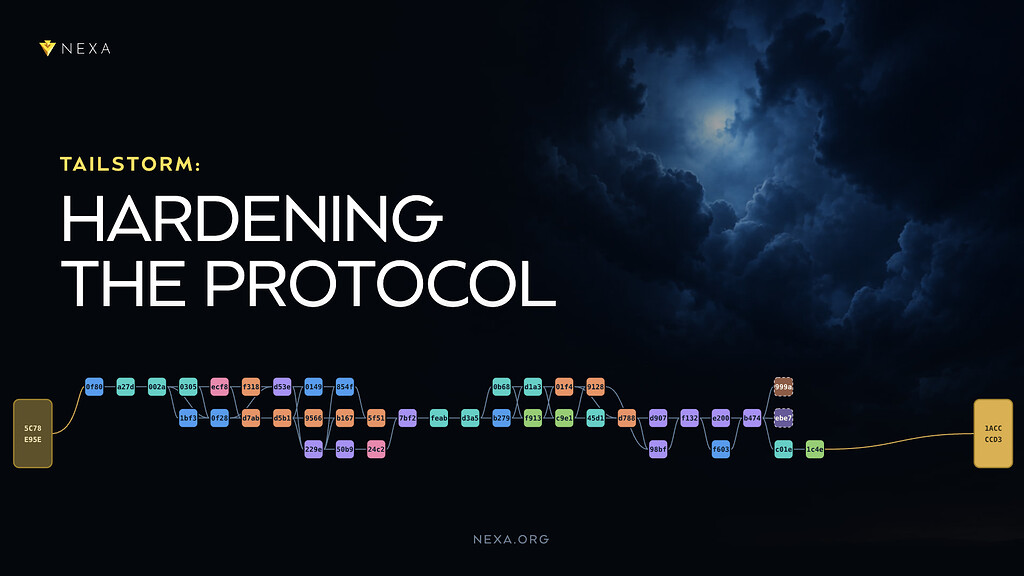
Tailstorm: Hardening the Protocol
Tailstorm replaces single 2-minute blocks with a DAG of subblocks that are tied together by a summary block, while keeping the 2-minute settlement cadence. The code already ships inside Full Node 2.2....
New Release: Otoplo Wallet 5.3.0
We’re excited to share the release of Otoplo Wallet 5.3.0 is now available. This update adds a new option to refresh vault balances and is ready for desktop and mobile platforms. While vaults have bee...
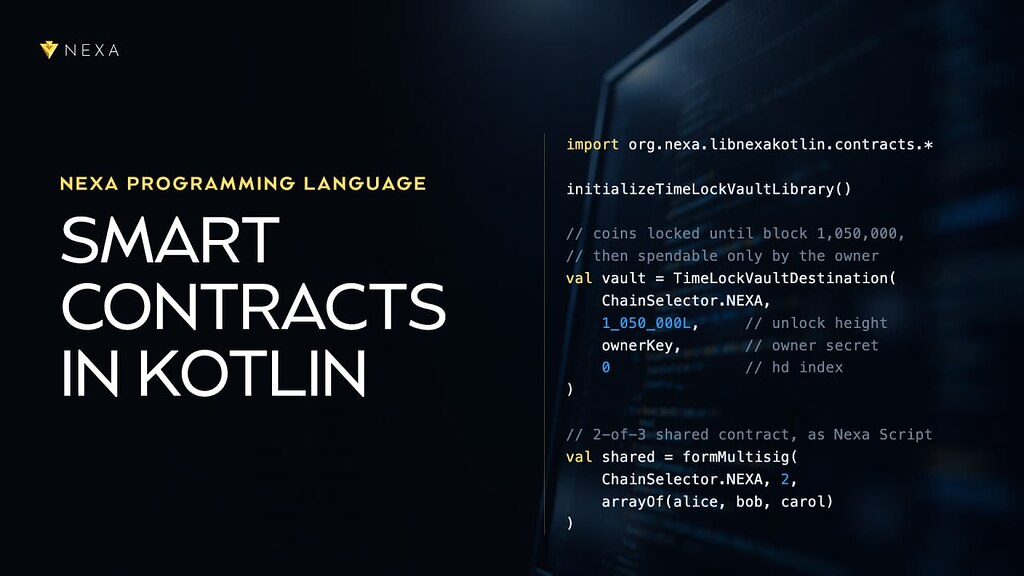
Nexa Programming Language (NPL): Smart Contracts in Kotlin
Nexa Programming Language (NPL) is a domain-specific language and compiler for writing Nexa smart contracts. Each smart contract includes rules that decide how coins can be spent. NPL lets developers...

Nexa Monthly Newsletter September 2026: Ahead of the Storm
September was a very active month, with many significant developments across the ecosystem. It started with the release of Nexa Full-Node 2.2.0.0, a major core protocol release that included preparato...

Hardware Acceleration: The Blitz Card
We’ve already explained the logic and how to build a validation engine out of six components on paper in the first three articles of the series. Now it’s time to move to the real silicon: the digital...
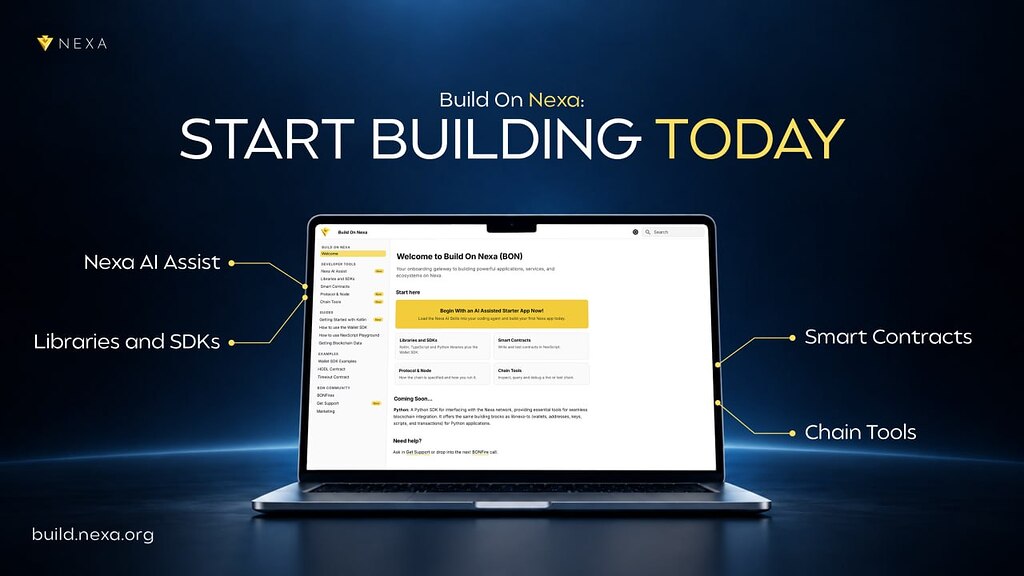
Build On Nexa: Start Building Today
Build On Nexa (BON) is your onboarding gateway to building powerful applications and services on Nexa. The site is a repository of guides, documentation, and resources for developers seeking support g...
Build on Nexa: AI-Assisted Development with David Thibodeau
Today the Nexa team wants to introduce you to a couple of tools we have created for our community to assist you with building applications on Nexa. We know that some of you may be experienced develope...
Nexa September Highlights: Full-Node 2.2.0.0 Released
The biggest highlight in September was the release of the new Nexa Full-Node version, a stepping stone toward the upcoming hard fork and activation of the Tailstorm protocol. Tailstorm will transform...